Did You Know ???    Tips and Tricks     SEO     Blogspot    Wordpress     MORE
: : : EXHANGE LINK : : : Mbah Dukun Bagong | | On-Idea | | Aceh Software | | Aceh Zone | | Menjelma  | | Terselubung Sekali 

May 07, 2011

Hiding Border / Edge Line Image

Ponerah- On certain templates, when you upload a picture post, will appear line at the outer image. The function of this border is to create a boundary image with the contents of posts and also to make the picture more unique.

But not everyone liked the border on the image. If you are interested in the tricks to hide the image border, you can follow the steps below.

Do the following:

1. Login to your blog account
2. Choose a design and click Edit HTML
3. Search codes .post img or .post-body img

As the example below
.post img {
padding: 1px;
margin: 0px 15px 15px 0px;
border: 1px solid #ffffff
}

All you have to remember is that each different template code. So you need to change is the number 1 on the border code into the value 0

As the example below
.post img {
padding: 1px;
margin: 0px 15px 15px 0px;
border: 0px solid #f0f0f0
}

4. Save Template


Hopefully helpful
Success for us all
Read more »

May 02, 2011

Creating Zoom Effect Image

Ponerah- Image zoom effect could be an attraction that can be used on the page of a blog. In addition to beautify the appearance of the blog, also can make the post more interesting with the picture that will automatically expand when the pointer is directed at the picture.

If you are interested in this trick, you can follow the steps to create the zoom effect image below:

1. Login to your blog
2. Select Layout and click Edit HTML
3. Check the box "Expand Widget Templates"
3. Find this code ]]></b:skin>
4. Copy the code below and enter the code above ]]></b:skin>


.zoom:hover{
-moz-transform:scale(1.98);
-webkit-transform:scale(1.98);
}

5. Then save template
6. After that go on blog postings and select edit HTML
Example usage code in posts:

<div style="text-align: center;">
<img class="zoom" src="https://blogger.googleusercontent.com/img/b/R29vZ2xl/AVvXsEhPMNFIT_fSxfV6_Sexd2wt5im6XkhX1kehVpu-esrS0KE1vYUOW10ddvoeVmiH9FrKU13wlhort_YniOUKH60HzjRALFxaS1uAta_eeImphhaqE67WPHzDju8ZJm2pjTS0mP3sHt8l0pY/s320/SAZLINA_COMP.gif" width="100" /></div>

The results


Note:
Green color, code for the zoom size image
Blue code command to enlarge image, Enter code if you want your picture zoom


Good luck.
Success for us all
Read more »

April 30, 2011

Creating Widget a Tag Cloud (tag cloud) On the Blog


Follow the steps of manufacture :

1. Login to your blog

2. Choose design

3. Add a gadget Html / Java script

4. Enter the code below


<embed allowscriptaccess="always" bgcolor="#FFFFFF" flashvars="tcolor=0x000000&amp;mode=tags&amp;distr=true&amp;tspeed=100&amp;tagcloud=&lt;tags&gt;


&lt;a href='http://ponerah.blogspot.com/search/label/SEO'style='12'&gt;SEO&lt;/a&gt;


&lt;a href='http://ponerah.blogspot.com/search/label/Blogspot'style='12'&gt;Blogspot&lt;/a&gt;


&lt;a href='http://ponerah.blogspot.com/search/label/Did%20You%20Know'style='12'&gt;Did You Know&lt;/a&gt;


&lt;a href='http://ponerah.blogspot.com/search/label/Computer'style='12'&gt;Computer&lt;/a&gt;


&lt;a href='http://www.free-jquery-templates.com/free-jquery-templates.php'style='12'&gt;Free Jquery Templates&lt;/a&gt;

&lt;/tags&gt;" height="230" id="tagcloud" name="tagcloud" quality="high" src="http://www.roytanck.com/wp-content/plugins/wp-cumulus/tagcloud.swf" type="application/x-shockwave-flash" width="300&quot;"></embed>

Notes :
Replace the blue color code for the background
Replace the color code red for text
Orange color for links
Brown color to name link
The green color to height and width


Good luck.
Success for us all
Read more »

April 29, 2011

Adding A Widget Under The Header

Ponerah- The room is empty on the blog has always been a problem faced by blog user's. Because each blog user's always wanted to display their blogs become more beautiful and perfect in the eyes of visitors.

Blogs are beautiful and comfortable making the viewer to linger on in the blog, supported with quality content and informative content.

The addition of the widget header on the blog of course you can use to maximize the placement of the contents of your post.

Here's how adding a Widget under the header

1. Log into your blog account.

2. Choose layout.

3. Then select edit HTML.

4. Before you add this element, you should backup the template. and if something goes wrong we can revert to the previous template.

5. Find similar code like this:
<b:section class='header' id='header' maxwidgets='1' showaddelement='no'>

6. Delete the code above, then replace with this code:
<b:section class='header' id='header' preferred='yes'>

7. Save the template

See on the page elements will appear a new page element.


Hopefully helpful
Success for us all
Read more »

April 28, 2011

Create Table Of Contents In Accordance With Label

Ponerah- List of contents on each article posted is very useful to help visitors of your blog / site to find what is sought by visitors. So that visitors do not find it difficult when they're on our blog page, so you must provide a table of contents.

for easier again, give the table of contents in accordance with the label in blog / your website.

I will give you tricks to make a list of contents according to the label on the content of your post. Hope you can help.

The trick is as follows.

1. Login to your blog, and then click design, and add the gadget> HTML / Javascript.

2. Copy and paste the following code in the gadget HTML / Javascript. then save

<script style="text/javascript"> var numposts = 500; var standardstyling = true; </script> <script type='text/javascript' src='http://gecokkkk.googlecode.com/files/label-post.js'></script> <div style="overflow:auto;width:280px;height:200px;padding:10px;border:1px solid #eee"> <ul> <script src="http://ponerah.blogspot.com/feeds/posts/default/-/SEO?orderby=published&alt=json-in-script&callback=showrecentposts&max-results=100"></script> </ul> </div>

3. Then save and see the results

Note:
width: 280px is the width of the wheel;
height: 200px is the height of the wheel;
bold red text (SEO), it is the name of a label or category. Replace with your label.

Good luck.
Success for us all
Read more »

Make Action In The Text

Ponerah- This post I will give you a little trick about beautifying your blog using the text.

You ever pay attention to your blog / website that posts the text moving right, left, up, down, and others.

Do you know how to make it?

If you do not know, please see some examples of using HTML text to beautify your blog.

Its usage is very easy, you just insert the code into the edit HTML in your posts.

Follow the code below:

Moves to the Right

<marquee direction="right"><span style="color: rgb(255, 0, 0); font-weight: bold;">Moves to the right</span></marquee>

Example
Moves to the Right


Moving to the Left

<marquee direction="left"><span style="color: rgb(255, 0, 0); font-weight: bold;">Moves to the right</span></marquee>

Example
Moving to the Left


Moves to the right and left

<marquee direction="right" behavior="alternate"><span style="color: rgb(255, 0, 0); font-weight: bold;">Moves to the right and left</span></marquee>

Example
Moves to the right and left


Slowly Moves to the right

Move Slowly To the right: Note: scrolldelay determine the value of fast or slow
Direction = determine the direction of movement

<marquee direction="right" scrolldelay="200"><span style="color: rgb(255, 255, 0); font-weight: bold;">Slowly Moves to the right</span></marquee>


Example
Slowly Moves to the right


Move to the left and right may be terminated

<marquee direction="left" behavior="alternate" scrollamount="2" onmouseover="this.stop()" onmouseout="this.start()" width="95%"><span style="color: rgb(255, 0, 0); font-weight: bold;">Move to the left and right may be terminated</span></marquee>

Example
Move to the left and right may be terminated


Move up

<marquee align="center" direction="up" scrollamount="2" onmouseover="this.stop()" onmouseout="this.start()" height="100" width="95%"><span style="color: rgb(0, 255, 0); font-weight: bold;">Move up</span></marquee>

Example
Move up


Move up and down

<marquee align="center" direction="up" behavior="alternate" scrollamount="2" onmouseover="this.stop()" onmouseout="this.start()" height="100" width="95%"><span style="color: rgb(255, 0, 255); font-weight: bold;">Move up and down</span></marquee>

Example
Move up and down


Moving image to the right

<marquee direction="right"><img 
src="https://blogger.googleusercontent.com/img/b/R29vZ2xl/AVvXsEgb3W5dG9Q0hy2gq6mbW42YP6MwFzxHdASLkreXPeGQ0CVuR8oiFgDQfyPcTQGkoXCTG_D1EAYpCDmkqgWoCvY1t09_iW8oA8okTWH1MkTOsNkbaFDDZ8P3i-FiszzM27JICkUBStU39D0a/s1600/ponerah.gif"
 /></marquee>

Example


Hopefully useful. Success for us all
Read more »

April 25, 2011

Make Auto Select All Text

You often see a line of text in the the column web site and if you click on the text ,the text will automatically be blocked .

How do I manufacture?

It's easy, you just need to add attributes onFocus = "this.select ()" on the textarea you want to create

Examples:

<textarea onFocus="this.select()">the contents of your text</textarea>

Results


Good luck
Read more »

April 24, 2011

What Is SEO

Ponerah- This post ponerah try to discuss what is a SEO which is the basis of all the core of the development of knowledge of SEO techniques. Wise man once said, do not know it is not care. Therefore, let us understand what is SEO.

SEO means Search Engine Optimization. Useful as a process to improve search engine performance on a webpage and blog. A site with high traffic of visitors, is one of the important pillars of success of a webpage and can provide benefits to the owner of the site. if the website visitor traffic that have very many candidates would bring customers to advertise their products in the website.

Internet users typically use search engines to get what he was looking for. Habit, these users will see the first page of search results and ignore the next page.

So, if your website appears on first pages in search engines, it will be more traffic on your website or blog visitors that we have.

Hence SEO is born and until now the owners of websites and blogs continue to develop this technique into their web pages to always be number one in search engine.

Development of SEO techniques vary. But keep in mind is the key word used on websites and blogs are highly influential on the search engines to find what users need on the Internet. For further information please read here.

Basically, SEO is divided into 2 types. For more information, please read here.

If there are additional and comment, share it in this article.

Success for us all


Inspiration from blogiologi.com
Read more »

April 23, 2011

Know Meta Tags

Ponerah- In this article I will explain what meta tags contained in the HTML. The definition of meta tags is itself a syntax that is used to convey important information to search engines information on a webpage.

Here is the meta tag we need to know in the SEO techniques

Meta Tag Description
Meta description tag is used to provide an overview of the contents of your web pages. Its size is recommended no more than 200 characters. And see to it that this description could be sentences that are located at the start page web page in question.
Examples of writing meta tag description is as follows:


<meta name=”description” content=”description of your web”>

example description of a web: "SEO Tips and tricks"
<meta name=”description” content=”SEO Tips and tricks”>

But on some search engines, the use of meta tags is not too powerful as a description of the search results. Therefore, use a way to insert a description of your website on the content of the post.

Meta Tag Keyword
In fact SEO techniques, keyword Meta tag of great importance, because it determines what keywords to find web page on search engines. Noteworthy here is do not repeat a word more than 3 times, because it will be considered spamming.
Use of meta tag keywords are as follows:

<meta name=”keywords” content=”keyword1, keyword2, keyword3, etc>

The most important thing for you is to never enter a keyword that has nothing to do with your web content.

for example: there are keywords, tips, tricks, tutorials, seo

Do not you use keywords in the tag posts with "Mp3, Movie, Free". Because the chances of the search engines to find your content very small.

Meta Tag Robots
The main purpose of the use of meta tag robots is to determine the web page that can only be indexed by a spider and web pages and can not be indexed by a spider on a web page. This tag is very useful especially if something website uses frames for navigation. Surely we do not want to display menus in the frame to be read by search engines.
Use the code from the meta tag robots are as follows:

<meta name=”robots” content=”index | noindex | follow | nofollow”>


Examples over the complete use of the following:

<meta name=”robots” content=”index follow”>

<meta name=”robots” content=”noindex nofollow”>

What is Dofollow Nofollow and there can be read here

For installation on a blog, is as follows:

<meta content=’ description of your web’ name=’description’/>
<meta content=’keyword1, keyword2, keyword3’ name=’keywords’/>
<meta content=’INDEX, FOLLOW’ name=’ROBOTS’/>

Hopefully this post helps you in understanding the technique of SEO. If there are deficiencies in this content, I hope you can improve and give a little commentary for our progress together.

Success for us all
Read more »

April 22, 2011

Comprehension Nofollow and Dofollow

Ponerah- When we talk about SEO, we often hear the term Nofollow, Dofollow, meta tags, robots, and other indexes. all terms are very related to the technique of search engine optimization (SEO).

This post I will discuss about what is nofollow and dofollow, as a basic understanding of SEO techniques to master. For most experts would have understood that term. But for the beginners will SEO techniques, certainly not yet fully understand the meaning of the nofollow and dofollow. Hopefully this post helpful to us all.

Nofollow is an attribute value in the HTML language code tells search engines It was not possible to hyperlink (link address) to go to the index (word search) to search engines. Nofollow is usually used to anticipate the attack on spam a search engine that can make the performance of search engines degrade the quality for a search or commonly called a flood. This concept was introduced by Matt Cutts and Jason Shellen in 2005.

For simplicity, Nofollow means that do not provide exit permits links to content that will be detected by search engines. But this does not mean blocking the page content indexed by search engines.
examples of the use of meta tags Nofollow :

<title><data:blog.pageTitle/></title>
<meta content='INDEX, NOFOLLOW'name='ROBOTS'/>

Dofollow can be interpreted to give consent to the search engines to follow links on a content link. A webmaster or board administrator who implement dofollow blog then this is a form of appreciation to the visitors to get a backlink from the website so that it is better known as "link love".

Dofollow tag usage on a website is very vulnerable to spam comments. why do so, because search engines will index all the keywords contained in the anchor text. So keep in mind for you, which relefan comment accordance with the contents of the blog's content using the dofollow tag. Because it is a thank-you for the blog admin.
examples of the use of meta tags Dofollow :

<title><data:blog.pageTitle/></title>
<meta content='INDEX, FOLLOW'name='ROBOTS'/>

So can I just finished about Nofollow and Dofollow. If there is any shortage, please extras and commentary.

Success for us all.

Read more »

Bacteria can divide the 3 types in people

Ponerah- In the early 1900s, scientists discovered that each person belonged to one of four blood types. Now they have discovered a new way to classify humanity: by bacteria. Each human being is host to thousands of different species of microbes. Yet a group of scientists now report just three distinct ecosystems in the guts of people they have studied.

Blood type, meet bug type. “It’s an important advance,” said Rob Knight, a biologist at the University of Colorado, who was not involved in the research. “It’s the first indication that human gut ecosystems may fall into distinct types.”

The researchers, led by Peer Bork of the European Molecular Biology Laboratory in Heidelberg, Germany, found no link between what they called enterotypes and the ethnic background of the European, American and Japanese subjects they studied.

Nor could they find a connection to sex, weight, health or age. They are now exploring other explanations. One possibility is that the guts, or intestines, of infants are randomly colonized by different pioneering species of microbes.

The microbes alter the gut so that only certain species can follow them.

Whatever the cause of the different enterotypes, they may end up having discrete effects on people’s health. Gut microbes aid in food digestion and synthesize vitamins, using enzymes our own cells cannot make.

Dr. Bork and his colleagues have found that each of the types makes a unique balance of these enzymes. Enterotype 1 produces more enzymes for making vitamin B7 (also known as biotin), for example, and Enterotype 2 more enzymes for vitamin B1 (thiamine).

The discovery of the blood types A, B, AB and O had a major effect on how doctors practice medicine. They could limit the chances that a patient’s body would reject a blood transfusion by making sure the donated blood was of a matching type. The discovery of enterotypes could someday lead to medical applications of its own, but they would be far down the road.

“Some things are pretty obvious already,” Dr. Bork said. Doctors might be able to tailor diets or drug prescriptions to suit people’s enterotypes, for example.

Or, he speculated, doctors might be able to use enterotypes to find alternatives to antibiotics, which are becoming increasingly ineffective. Instead of trying to wipe out disease-causing bacteria that have disrupted the ecological balance of the gut, they could try to provide reinforcements for the good bacteria. “You’d try to restore the type you had before,” he said.

Dr. Bork notes that more testing is necessary. Researchers will need to search for enterotypes in people from African, Chinese and other ethnic origins. He also notes that so far, all the subjects come from industrial nations, and thus eat similar foods. “This is a shortcoming,” he said. “We don’t have remote villages.”

The discovery of enterotypes follows on years of work mapping the diversity of microbes in the human body the human microbiome, as it is known. The difficulty of the task has been staggering. Each person shelters about 100 trillion microbes.

For comparison, the human body is made up of only around 10 trillion cells. But scientists cannot rear a vast majority of these bacteria in their labs to identify them and learn their characteristics.

As genetics developed, scientists learned how to study the microbiome by analyzing its DNA. Scientists extracted DNA fragments from people’s skin, saliva and stool. They learned how to recognize and discard human DNA, so that they were left with genes from the microbiome. They searched through the remaining DNA for all the variants of a specific gene and compared them with known species. In some cases, the variants proved to be from familiar bacteria, like E. coli. In other cases, the gene belonged to a species new to science.

These studies offered glimpses of a diversity akin to a rain forest’s. Different regions of the body were home to different combinations of species. From one person to another, scientists found more tremendous variety. Many of the species that lived in one person’s mouth, for example, were missing from another’s.

Scientists wondered if deeper studies would reveal a unity to human microbiomes. Over the past few years, researchers have identified the genomes the complete catalog of genes of hundreds of microbe species that live in humans. Now they can compare any gene they find with these reference genomes.

They can identify the gene’s function, and identify which genus of bacteria the microbe belongs to. And by tallying all the genes they find, the scientists can estimate how abundant each type of bacteria is.

In the recent work, Dr. Bork and his team carried out an analysis of the gut microbes in 22 people from Denmark, France, Italy and Spain. Some of their subjects were healthy, while others were obese or suffered from intestinal disorders like Crohn’s disease. Dr. Bork and his colleagues searched for fragments of DNA corresponding to the genomes of 1,511 different species of bacteria. The researchers combined their results with previous studies of 13 Japanese individuals and 4 Americans.

The scientists then searched for patterns. “We didn’t have any hypothesis,” Dr. Bork said. “Anything that came out would be new.”

Still, Dr. Bork was startled by the result of the study: all the microbiomes fell neatly into three distinct groups.

And, as Dr. Bork and his colleagues reported on Wednesday in the journal Nature, each of the three enterotypes was composed of a different balance of species. People with type 1, for example, had high levels of bacteria called Bacteroides. In type 2, on the other hand, Bacteroides were relatively rare, while the genus Prevotella was unusually common.

“You can cut the data in lots of different ways, and you still get these three clusters,” Dr. Bork said.

Dr. Bork and his colleagues found confirmation of the three enterotypes when they turned to other microbiome surveys, and the groups continue to hold up now that they have expanded their own study to 400 people. 


Source: nytimes.com
Read more »

Identify The Cancer

Ponerah- Cancer is a disease that begins as a renegade human cell over which the body has lost control. In order for the body and its organs to function properly, cell growth needs to be strictly regulated. Cancer cells, however, continue to divide and multiply at their own speed, forming abnormal lumps, or tumors. An estimated 6.7 million people currently die from cancer every year.

Not all cancers are natural-born killers. Some tumors are referred to as benign because they don't spread elsewhere in the body. But cells of malignant tumors do invade other tissues and will continue to spread if left untreated, often leading to secondary cancers.

Cancers can start in almost any body cell, due to damage or defects in genes involved in cell division. Mutations build up over time, which is why people tend to develop cancer later in life. What actually triggers these cell changes remains unclear, but diet, lifestyle, viral infections, exposure to radiation or harmful chemicals, and inherited genes are among factors thought to affect a person's risk of cancer.

Lung cancer is the world's most killing cancer. It claims about 1.2 million victims a year. Most of those victims are smokers, who inhale cancer-causing substances called carcinogens with every puff. Experts say around 90 percent of lung cancer cases are due to tobacco smoking.

Breast cancer now accounts for almost one in four cancers diagnosed in women. Studies suggest the genes you inherit can affect the chances of developing the illness. A woman with an affected mother or sister is about twice as likely to develop breast cancer as a woman with no family history of the disease. Lifestyle may also have an influence, particularly in Western countries where many women are having children later. Women who first give birth after the age of 30 are thought to have a three times greater risk of breast cancer than those who became mothers in their teens.

Geographical Distinctions
There are also stark geographic differences, with incidence rates varying by as much as thirtyfold between regions. In much of Asia and South and Central America, for example, cervix cancer is the most deadly in females. However, in North America and Europe another kind of gynecological cancer, ovarian cancer, is a more serious threat.

Among males, southern and eastern Africa record the second and third highest rates of oesophageal, or gullet, cancer after China, but western and central regions of Africa have the lowest incidence in the world. Differences in diet may explain this.

Nevertheless, the reasons why many cancers develop remain elusive. Brain cancer, leukemia (blood cancer), and lymphoma (cancer of the lymph glands) are among types that still mystify scientists.

Treatments
Yet ever more people are surviving diagnosis thanks to earlier detection, better screening, and improved treatments. The three main treatment options are surgery, radiotherapy and chemotherapy. Radiotherapy, also called radiation therapy, involves blasting tumors with high-energy x-rays to shrink them and destroy cancerous cells. Chemotherapy employs cancer-killing drugs.

Even so, future cancer cases are predicted to climb, since the world's population is aging. The proportion of people over age 60 is expected to more than double by 2050, rising from 10 percent to 22 percent. This will add an estimated 4.7 million to the cancer death toll by 2030.


Source: nationalgeographic.com
Read more »

April 21, 2011

Secret Code Scanner Search Engine

Ponerah- In this post I will discuss about one line of code that is very influential in a blog to be detected by search engines. Maybe for some people this code is not considered in updating the codes on the blog template. But for those who are expert in the field of SEO, this code is very meaningful and can be optimized according to the ability of the designer code.

Do you ever see a line of code on your blog html code located below the <head> ? ?

<b:include data='blog' name='all-head-content'/>

Code is very short, and many are ignored. if we describe the firebug code or can be viewed by Page Source in your browsing, you'll see the code below

<meta http-equiv="Content-Type" content="text/html; charset=UTF-8">
<script type="text/javascript">(function() { var a=window;function c(b){this.t={};this.tick=function(d,i,e){e=e?e:(new Date).getTime();this.t[d]=[e,i]};this.tick("start",null,b)}var f=new c;a.jstiming={Timer:c,load:f};try{var g=null;if(a.chrome&&a.chrome.csi)g=Math.floor(a.chrome.csi().pageT);if(g==null)if(a.gtbExternal)g=a.gtbExternal.pageT();if(g==null)if(a.external)g=a.external.pageT;if(g)a.jstiming.pt=g}catch(h){};a.tickAboveFold=function(b){b=b;var d=0;if(b.offsetParent){do d+=b.offsetTop;while(b=b.offsetParent)}b=d;b<=750&&a.jstiming.load.tick("aft")};var j=false;function k(){if(!j){j=true;a.jstiming.load.tick("firstScrollTime")}}a.addEventListener?a.addEventListener("scroll",k,false):a.attachEvent("onscroll",k);
 })();</script>
<meta name="MSSmartTagsPreventParsing" content="true">
<meta name="generator" content="blogger" />
<link type="image/vnd.microsoft.icon" rel="icon" href="http://www.blogger.com/favicon.ico">
<link rel="canonical" href="http://nanoyulianto.blogspot.com/">
<link href="http://nanoyulianto.blogspot.com/feeds/posts/default" title="Nano Yulianto - Atom" type="application/atom+xml" rel="alternate">
<link href="http://nanoyulianto.blogspot.com/feeds/posts/default?alt=rss" title="Nano Yulianto - RSS" type="application/rss+xml" rel="alternate" />
<link href="http://www.blogger.com/feeds/8921043324061556597/posts/default" title="Nano Yulianto - Atom" type="application/atom+xml" rel="service.post">
<link href="http://www.blogger.com/rsd.g?blogID=8921043324061556597" title="RSD" type="application/rsd+xml" rel="EditURI">
<link href="http://www.blogger.com/profile/08990719858237046914" rel="me">
<link href="http://www.blogger.com/openid-server.g" rel="openid.server">
<!--[if IE]> <script> (function() { var html5 = ("abbr,article,aside,audio,canvas,datalist,details," + "figure,footer,header,hgroup,mark,menu,meter,nav,output," + "progress,section,time,video").split(','); for (var i = 0; i < html5.length; i++) { document.createElement(html5[i]); } })(); </script> <![endif]-->

With only a very short code, you only need to add meta tags for search engine robots to easily find the content of your blog content.

Quite so first of my reviews are still studying this. when there are shortages please enhancements.

Success for us all


Inspiration from nanoyulianto
Read more »

Fossil discovery Biggest Spiders

Ponerah- Measuring nearly 1 inch (2.5 centimeters) in length, the 165-million-year-old fossil was uncovered in 2005 by farmers in Inner Mongolia a region teeming with fossils from the middle Jurassic period.

"Compared to all other spider fossils, this one is huge," said study co-author ChungKun Shih, a visiting professor at Capital Normal University in Beijing, China.

"When I first saw it, I immediately realized that it was very unique not only because of its size, but also because the preservation was excellent," Shih said.

Fine volcanic ash preserved the specimen's exquisite features, such as mouthparts and hairlike structures that covered its legs, according to the study.

These features allowed scientists to classify it as Nephila jurassica, a new species in the genus Nephila—a surviving group of spiders that weave 5-foot (1.5-meter) webs of strong, golden silk. Among the largest web-weaving spiders today, these creatures can reach lengths of up to 2 inches (5 centimeters).

The fossil spider shows that Nephila is the spider genus that's been around the longest. The rare discovery pushes back the origin of the genus by about 130 million years.

Because modern-day Nephila spiders thrive in tropical and subtropical habitats, the discovery also provides evidence that northeastern China was warmer and more humid during the Jurassic than it is now.

Likewise, the find may mean that such spiders capable of catching large bugs with their extensive webs played an important role in the evolution of insects.

"If insects wanted to survive, they had to figure out a way to avoid being caught by the web," Shih said.


 Source: nationalgeographic.com
Read more »

April 20, 2011

Creating Widgets Recent Comments

Ponerah- Actually, to display the latest comments added already exist in the default gadget blogspot. But many of the bloggers are reluctant to use it as a less attractive appearance.

The addition of these widgets to display the contents of blog visitors comment on our posts. therefore we need to install this widget for we know that the posts we had no response from visitors to the blog.
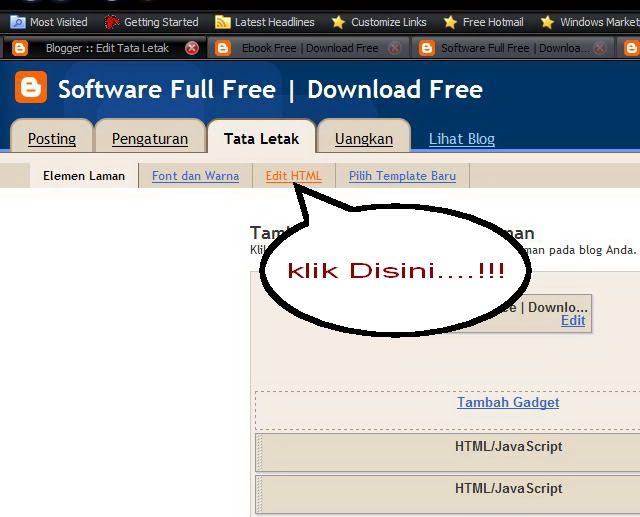
If you want to install this widget, please follow these steps :

Log In to your blogger dashboard ---> Click Layout ---> Add a Gadget ---> Choose HTML / JavaScript

Then input the following code
<ul><script style="text/javascript">
function showrecentcomments(json) {
for (var i = 0; i &lt; 5; i++) {
var entry = json.feed.entry[i];
var ctlink;
ate = entry.published.$t; var cdyear
var comment d= commentdate.substring(0,4);
ring(5,7); var cdday = commentdate.substr
var cdmonth = commentdate.subs ting(8,10); var monthnames = new Array(); monthnames[1] = "Jan";
r"; monthnames[5] = "M
monthnames[2] = "Feb"; monthnames[3] = "Mar"; monthnames[4] = "A pay"; monthnames[6] = "Jun"; monthnames[7] = "Jul"; monthnames[8] = "Aug";
hnames[12] = "Dec"; i
monthnames[9] = "Sep"; monthnames[10] = "Oct"; monthnames[11] = "Nov"; mon tf (i == json.feed.entry.length) break; for (var k = 0; k < entry.link.length; k++) {
= ctlink.replace("#", "#comment-"); va
if (entry.link[k].rel == 'alternate') { ctlink = entry.link[k].href; break; } } ctlin kr ptlink = ctlink.split("#"); ptlink = ptlink[0]; var txtlink = ptlink.split("/"); txtlink = txtlink[5];
pttitle.link(ptlink); if ("conte
txtlink = txtlink.split(".html"); txtlink = txtlink[0]; var pttitle = txtlink.replace(/-/g," "); pttitle =nt" in entry) { var comment = entry.content.$t;} else if ("summary" in entry) { var comment = entry.summary.$t;} else var comment = "";
font-size:90%;
var re = /<s[^>]*>/g; comment = comment.replace(re, ""); document.write('<li>'); if (comment.length < 50) { document.write('<div style=
"background-color: #dcdcdc; border: #dcdcdc 1px dashed;margin-right:5px">' + monthnames[parseInt(cdmonth,10)] + ' ' + cdday);
document.write(' - ' + entry.author[0].name.$t + ' commented on');
} else { comment = comment.substring(0, 5
document.write(' ' + pttitle + ':</div>'); document.write(comment) ;0); var quoteEnd = comment.lastIndexOf(" "); comment = comment.substring(0, quoteEnd);
dashed;margin-right:5px">' + monthnames[parseInt(cdmonth,10)] + ' ' + cdday); document.write(' - ' + entry.author[0].name.$t + ' commented on'); document.write(' ' +
document.write('<div style="font-size:90%;background-color: #dcdcdc;border: #dcdcdc 1px pttitle + ':</div>'); document.write(comment + '...<a href="' + ctlink + '">(more)</a>'); } } document.write('</li>'); } </script> <script src="http://ponerah.blogspot.com/feeds/comments/default?alt=json-in-script&callback=showrecentcomments">
</script></ul> <noscript>You need to enable JavaScript to read this.</noscript>

Description:
** for (var i = 0; i &lt; 5; i++) { : Item 5 on this code, means showing ninimal comment number five can be replaced in accordance with the needs of the appearance of comments.
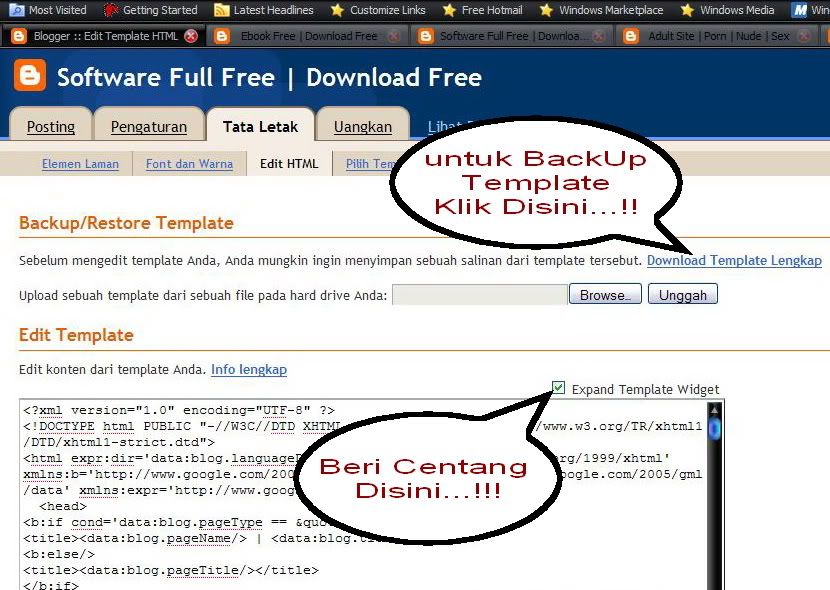
** background-color: #dcdcdc; border: #dcdcdc : This code is to display the color of the background comments. Also can be replaced with a color you like.
** http://ponerah.blogspot.com replace with your blog address


Good Luck
Read more »

Insert Meta Tags On Blog Posts

Ponerah- If we asked, what can insert meta tags on a post? the answer must be.

Will it affect SEO? Of course not, even the search engines will not find it.

So how is also Meta Tags on our blog to be indexed by search engines?

Please use the following code into your blog template code.

<b:if cond='data:blog.pageType == "index"'> <title>Title Home</title> <meta content='Your Description' name='description'/> <meta content='Your Keyword' name='keywords'/> <b:else/> <title><data:blog.pageName/></title> </b:if> <meta content='index,follow' name='robots'/>

Description and Keywords will only be visible in your Blog Main Page. If you ask, why the post was not inserted page Meta Tags? If Meta Tags are placed for all the pages with the same word, it will actually worsen your Blogspot SEO.

Good Luck


Credit by nanoyulianto 
Read more »

Supernova Surprise

Ponerah- The Whirlpool Galaxy, aka M51, is not far—3.5 degrees—from the end of the handle in the Big Dipper. It is a popular target for observers from April through July, when the Dipper is high in the night sky.

M51 is especially interesting because it is actually a pair of interacting galaxies. They are flying past each other (on a time scale of hundreds of millions of years) and their mutual gravitational attraction creates some interesting distortions.

In May 2005 I took a picture of the Whirlpool Galaxy. About month later, a star in the Whirlpool exploded into a supernova.

The explosion was first noticed by amateur astronomer Wolfgang Kloehr on an image he took of the galaxy on June 28, 2005, using an eight-inch reflector telescope.

Even though the galaxy is 31 million light-years away (and therefore the explosion actually took place 31 million years ago), the supernova was bright enough to be seen using fairly modest telescopes here on Earth.

When I heard about this relatively rare cosmic event, I waited with great anticipation for the next clear night. On July 10, 2005, I got my opportunity, and I took a second picture of the galaxy.

I used exactly the same equipment as before so that I could easily do a side-by-side comparison of the two pictures.

Shown here is the first picture of the Whirlpool I took in May (top) and the followup shot I made in July. Click to see full size.


Note that the July 10 picture is identical to the earlier picture—except for a new bright spot just off to the right, a bit from the core of the galaxy. This is supernova SN 2005cs.

At its brightest, the supernova appeared to us as bright as a magnitude 14 star.

When I took my second picture, we were nearing the end of the season for observing M51—the Whirlpool was low in the northwest at sunset. Over the following weeks it became harder to see/photograph because it was very low in the west after sunset.

By the time the Whirlpool moved back into prime position several months later, the supernova had faded from view. I was very lucky to get a picture of it.

The last time a supernova was observed in our home galaxy, the Milky Way, was in 1604.

On average, supernovae in the Milky Way should occur once every 50 years or so. We might have missed a few if they happened on the other side of the Milky Way but, regardless, we are long overdue for a supernova event in our sector of the galaxy.

Hopefully, the next one will occur sometime soon.


Source: nationalgeographic.com
Read more »

Rationale In SEO

Ponerah - The main purpose of the application of SEO techniques is that blogs are belong to us in the top place on the first page Search Engine blog or in other words we want to be prioritized, so of course we need to know what is liked or not liked by the search engine itself.

Search Engine itself has some qualities like human beings.
Example:
  • Pleased with the blog posting original content. In the real world, hijacking other people's work is not a good thing even opposed by many, the search engine is the same, not like the content of his blog content plowing or term outcome is generally the result of Copas (copy paste) from other blogs.
  • Not like in kelabui. In the world of SEO there is a term whose name is Black Hat SEO, which is a lot to apply SEO techniques to fool search engine, examples such as hidden text, hidden links, keyword repetition, and so forth which is basically that all the techniques to trick, and it is not liked by Search engine.
  • Informative pleased with the blog. Of course many people who like someone else because that person is often put forward useful information, both for individuals especially for the public. Search engine is the same.
  • Informative pleased with the blog. Of course many people who like someone else because that person is often put forward useful information, both for individuals especially for the public. Search engine is the same.
  • Like a blog that recommended by many parties. Search engines are very happy with the recommendation, in this case is given a backlink by other blogs. Backlinks in the blogosphere like a recommendation or endorsement.
In fact SEO is the competition, which is more appropriate to apply SEO techniques then he comes out a winner. No half-hearted, it could rival the SEO tens of thousands, even tens of millions in number.

SEO Technique is not just one kind, not even a definite number. Therefore, do not get your hopes up only to apply one SEO technique that you read on the internet, the position of your blog can be directly shot in the first place. Therefore, learn the ins and outs of SEO is very important.

Good Luck


Inspiration of Kang Rohman
Read more »

Know What It's SEO On Page and Off Page

Ponerah- In the world of SEO is the term SEO On Page and Off Page SEO, both are factors you must identify a winner if you want to succeed in the competitive search engine optimization.

What's SEO On Page ?
SEO On Page is all forms of search engine optimization techniques are performed on a blog or website in question.

Some examples of the application of SEO On page:
  • The use of a domain name
  • Blog Title
  • Title Post
  • Description
  • Use Headings (H1, H2, H3, etc ...)
  • The use of the word bold, italic, underline, and so forth.
  • Internal linking (links to pages of other posts that are still in the blog in question)
  • Memepercepat blog access time
  • The use of alt tags on every image
  • And compassion many others.

What is a SEO Off Page ?
SEO Off Page is all forms of search engine optimization techniques will be undertaken outside of your blog or website on purpose. Why ko can be done outside of the SEO blogs that are in optimization? yes can and should be done.

Some examples of Off Page SEO:

  • Backlink dari website atau blog lain.
  • Submit site map ke webmaster tools
  • Ping

Backlinks are links from other blogs or websites to your blog or website. A backlink is likened to a recommendation, the more you recommend then your blog will get more attention from search engines.

Illustration, if in an election, say election of village heads. To elect a village head, the first we see is the track record to prospective head of the village, how he behaves in public, how he speaks, and so forth.

Apart from the factor of his own candidate for village chief, we often also see who is supporting candidates for village chief. More and more support (sometimes we see the amount of support during the campaign took place) then we sometimes drift to participate to support as well. Apart from the amount of support, often we also see who is supporting, for example community leader. More and more community leaders that support, then we will also be more trusting prospective chief of the village.

In this context, search engines see backlinks not only in terms of quantity, but in terms of quality of those links. The more you get links from quality websites (trusted sites), then certainly you will increasingly be prioritized by the Search Engine.


Inspiration of Kang Rohman
Read more »

April 19, 2011

Creating a Gadget under Blog posts

Ponerah- Many Bloggers are trying to create their own template as many limitations of existing templates. Especially for the original template from Blogger.com, a lot of limitations. Because it is the Master CSS attempt to make some tutorials that can improve an existing template. Or even extend the template you have.

This time I tried to give way to add a gadget or sidebar just below or above your blog posts, as you can see in the image below:


This time to make qu trying to make it easy for you guys. Notice how in the order listed below:
1. Open up your Dashbor Blog Layout menu and choose
2. Then click Edit HTML


3. Try to save your template first.
4. Check the box "Expand Widget Templates"


5. Find the code below:

<div id="main-wrapper">
<b:section id="main" showaddelement="no">

6. Fox becomes like this:

<div id="main-wrapper">
<b:section id="main" showaddelement="yes">

7. Save your Template
8. If you want to position element / gadget under the posts, do the following:

     * Add a gadget used to let you insert a gadget "HTML / Javascript"
     * Drag the gadget to the bottom of the box Postings "Blog Post" then the position asfollows:


Adding header element + Element below / above posts
The position of the first gadgets


Note:
In other cases this may be influenced by the type of template you use, the advertisements will always appear under the posts after you click Read More

9. Finally the last thing from everything above is "Done".
Read more »

Whois Ponerah

Followers

Supporting